User roles
Control access to Aragro modules and information with roles and permissions.
Use with AI
External services may not be able to read this preview. Use Copy for AI instead.
Control access to modules and information in Aragro through user roles with different permissions, according to each person’s position and department. In other words, each person has access to what they need.
Before showing you how to create a user, we need to talk about user roles.
You can open user roles from Aragro’s Roles page.
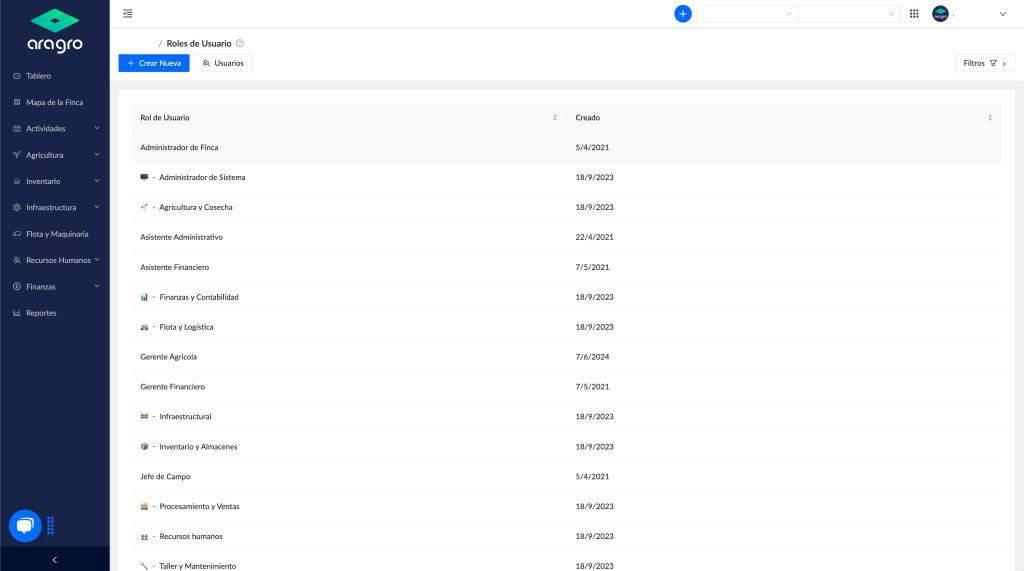
Some roles are preloaded in Aragro. If the role you need is not on this list, you can create one with the “+ Create new” button.
Enter the “User role name,” select the roles that match the person’s responsibilities, and click “Create” in the bottom-right corner.
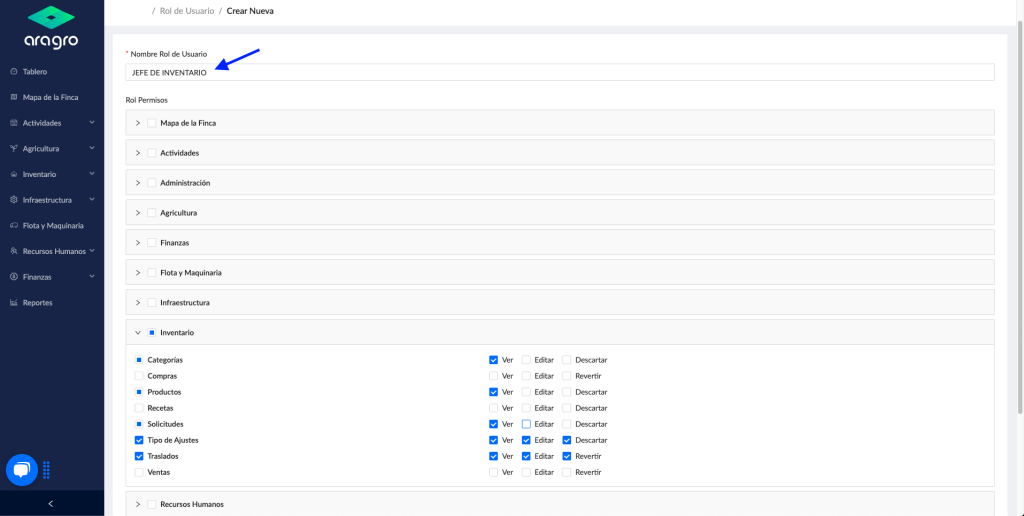
Important: If you need to change or add permissions for a particular user, edit the role, not the user. The person will receive the new permissions after you update their assigned role appropriately.